Clean, zero-knowledge password manager from the makers of NordVPN
by: Nord Security
for: Android, iOS, Linux, macOS, Windows
◆ XChaCha20 Encryption — Your vault is encrypted using a faster, future-proof algorithm before it ever leaves your device — no plaintext data reaches NordPass servers.
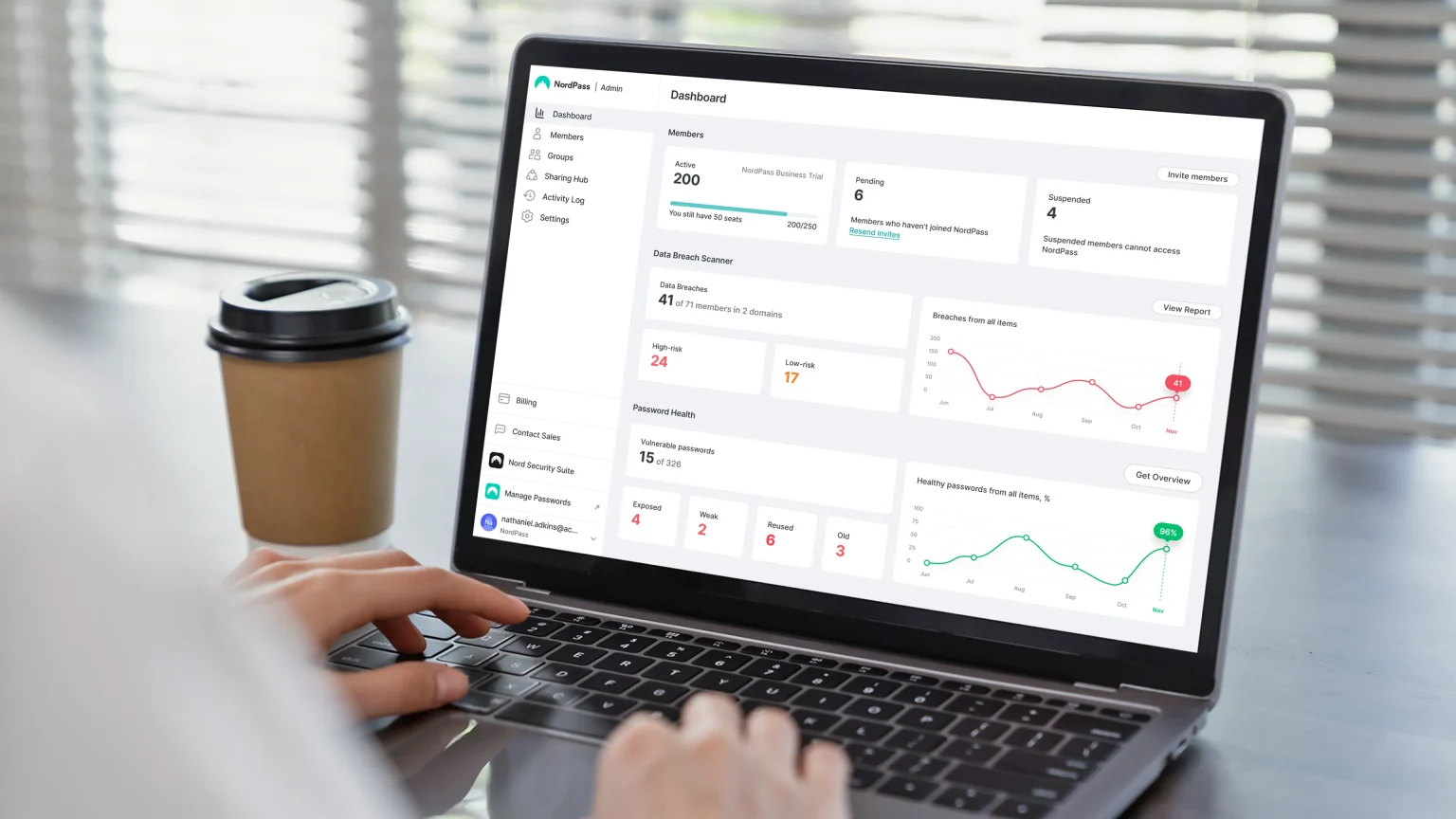
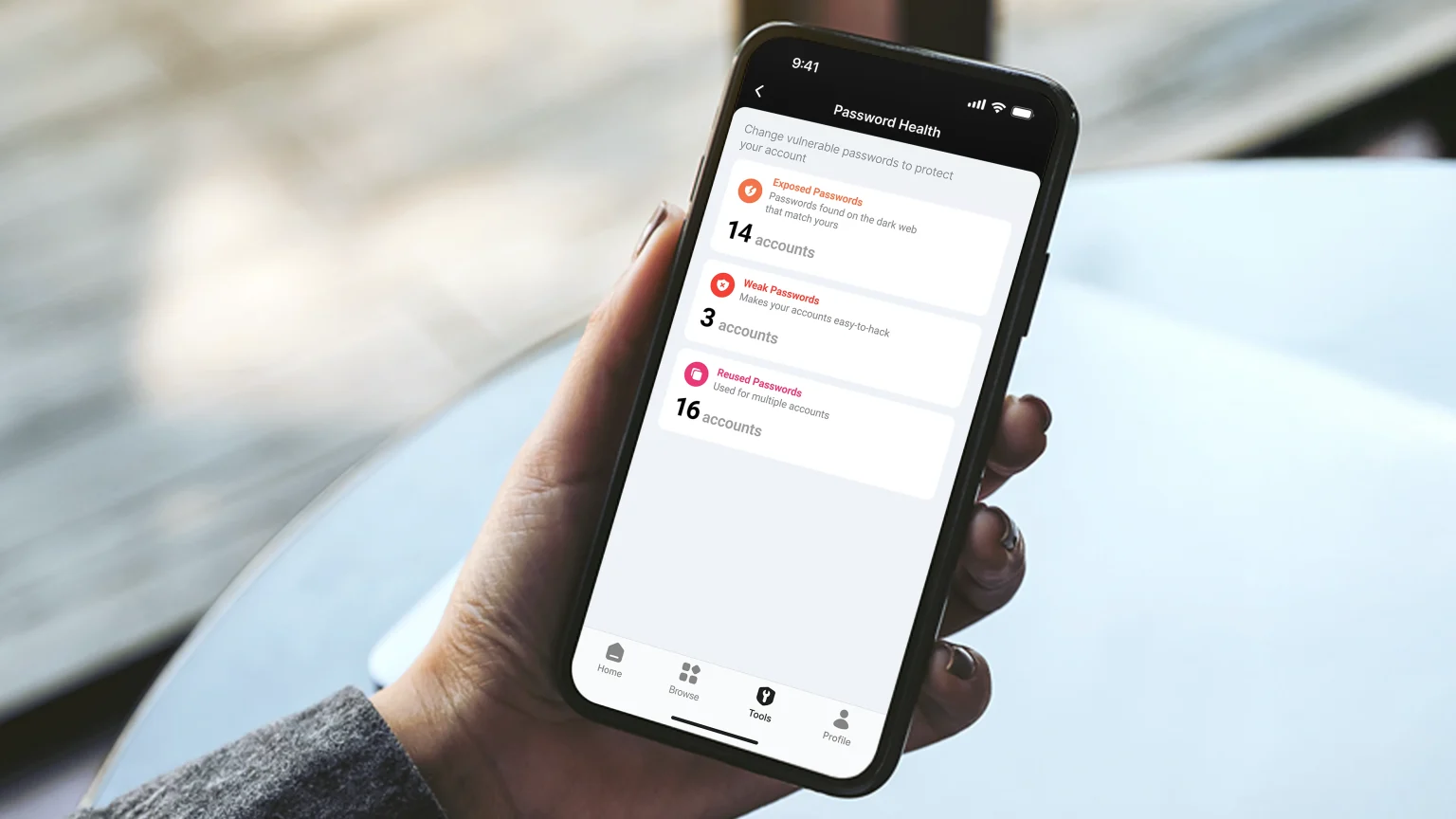
◆ Password Health Checker — Scans your stored credentials and flags weak, reused, and old passwords in a single organised dashboard, with direct links to update each one.
◆ Data Breach Scanner — Monitors known breach databases against your stored emails and passwords, alerting you the moment your data appears in a compromised dataset.
◆ Email Masking — Generates disposable email aliases when signing up for services, shielding your real address from data harvesting without leaving your password manager.
◆ Nord Ecosystem Bundling — NordPass Premium can be bundled with NordVPN and NordLocker for a single subscription covering network privacy, password management, and encrypted file storage.
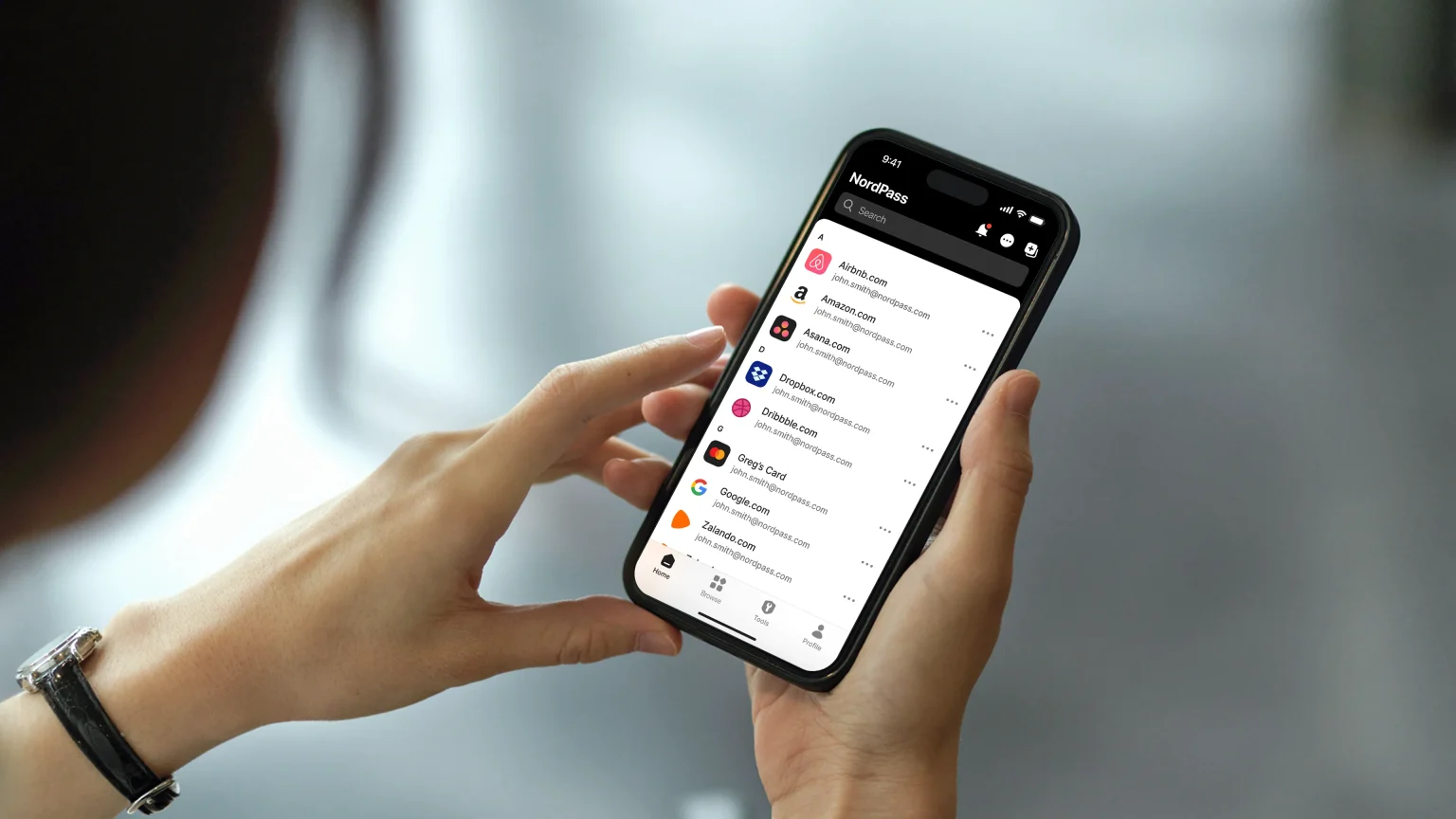
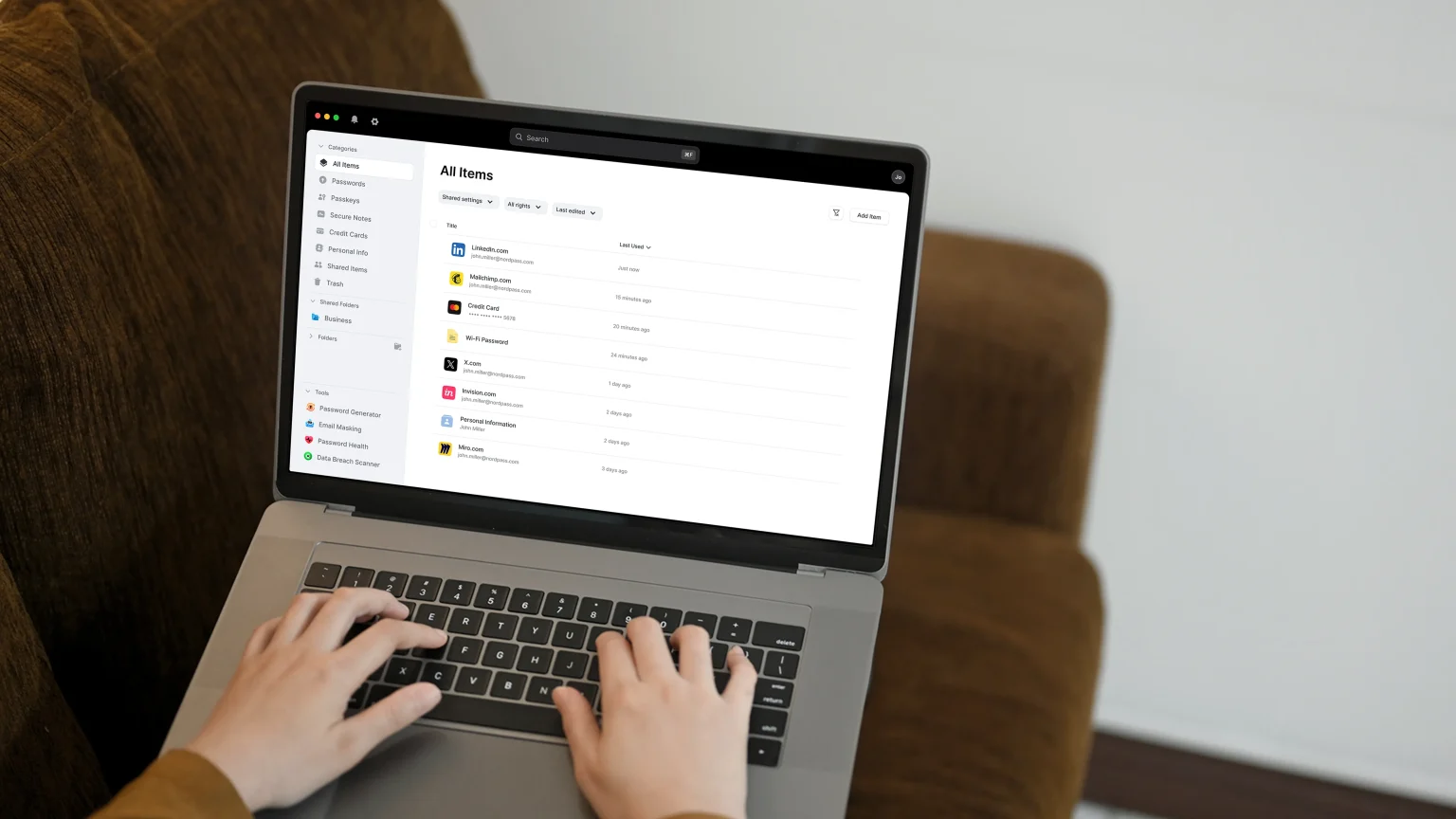
NordPass is a proprietary password manager from Nord Security — the cybersecurity company behind NordVPN and NordLocker — launched in 2019. It stores passwords, credit cards, secure notes, and personal identity details in an encrypted vault synced across every device you own. It’s built explicitly for users who want security without complexity: clean interface, minimal setup, fast onboarding. If you’re a developer who needs SSH key management, a sysadmin who wants self-hosting, or an open-source advocate who wants to audit the codebase, NordPass is not the right fit — Bitwarden is.
Creating a NordPass account takes two minutes. You set a master password, optionally link your Nord Account, and the browser extension begins capturing login credentials automatically. Importing existing passwords from Chrome — or any other password manager — is handled through a CSV import in the web vault settings. Once set up, the vault syncs silently across every device logged into your account. On Android, biometric login unlocks the vault via fingerprint or face ID, and the app’s autofill handles credential entry in other apps and in the browser. The Password Health dashboard is accessible from the main menu and immediately surfaces weak, reused, or ageing passwords sorted by severity.
NordPass’s design is genuinely the cleanest in the password manager category — cleaner than Bitwarden and arguably simpler than 1Password on mobile. The interface uses minimal navigation, the vault items are organised in a flat list with tag-based filtering, and onboarding guides new users through the most common setup steps without technical language. Setting up NordPass on Windows 11 involves a standard installer, automatic browser extension pairing, and a five-minute first-time vault import. The shared folders feature for teams is accessible without admin training, making it a natural fit for small Indian startups building out their first password management policy. Where the UX falls short is vault organisation depth — power users with hundreds of entries will find folder and tag options less structured than Keeper or 1Password.
NordPass performs well across all four supported platforms. Autofill triggers reliably in the browser extension and on mobile, vault sync is near-instant when online, and the app runs without measurable battery impact on Android. Offline vault access works as expected after a prior sync. One issue documented in Android user forums involves autofill occasionally failing to trigger in third-party apps — the typical fix is toggling NordPass as the default autofill provider in Android accessibility settings, a one-time configuration step. Overall performance is stable, and no pattern of crashes or sync failures appears in recent support documentation.
NordPass operates on a zero-knowledge architecture: the vault is encrypted locally using XChaCha20 before any data leaves the device, meaning NordPass employees cannot decrypt your credentials under any circumstance. XChaCha20 uses 192-bit nonces, is considered computationally faster than AES-256 on devices without hardware AES acceleration (particularly common older Android hardware in India), and is the same algorithm used by Google and Cloudflare in their services. The Data Breach Scanner checks your emails and passwords against known breach databases. One security concern worth naming: in August 2025, security researcher Marek Tóth disclosed at DEF CON 33 that NordPass’s browser extension — in its default configuration — was vulnerable to a DOM-based clickjacking technique that could allow an attacker to exfiltrate credentials with a single user interaction. NordPass acknowledged the disclosure; users should verify their extension is running the latest patched version.
NordPass’s free tier covers unlimited passwords synced across all devices, autosave and autofill, and multi-factor authentication — with no device-type restriction, which is a meaningful advantage over LastPass’s free tier. The Premium plan adds Password Health, Data Breach Scanner, file attachments, email masking, and secure item sharing at approximately $1.49–$1.99 per month billed annually — making it the most affordable full-featured premium plan among the major password managers. The Family plan extends all Premium features to six separate encrypted vaults. For users already paying for NordVPN, the bundled Nord plan covering NordVPN, NordPass, and NordLocker offers consolidated value that no standalone competitor can structurally replicate. Bitwarden Premium at $19.80 per year is still cheaper, but NordPass at approximately $18–$24 per year is close — and its interface simplicity justifies the premium for non-technical users.
vs. Bitwarden: NordPass wins on interface polish, email masking, and XChaCha20 encryption modernity; Bitwarden wins on open-source transparency, self-hosting capability, the TOTP authenticator integration, and the depth of its free tier’s enterprise-readiness.
vs. 1Password: NordPass wins on pricing affordability and simplicity for everyday users; 1Password wins on Travel Mode for international trips, the Secret Key dual-authentication architecture, and significantly deeper developer and team management tooling.
XChaCha20 encryption is very advanced
Cleanest interface in the category
Free tier has no device-type restrictions
Email masking is a differentiator
No self-hosting option
No open-source codebase
Vault organization depth is limited
Clean, zero-knowledge password manager from the makers of NordVPN
by: Nord Security
All files are original, sourced from official developer.
The download will start from the developer’s website.
AnySoftware does not host, repack or modify download files in any way.
Powered by
Clean, zero-knowledge password manager from the makers of NordVPN
by: Nord Security
All files are original, sourced from official developer.
The download will start from the developer’s website.
AnySoftware does not host, repack or modify download files in any way.
Powered by
Clean, zero-knowledge password manager from the makers of NordVPN
by: Nord Security
All files are original, sourced from official developer.
The download will start from the developer’s website.
AnySoftware does not host, repack or modify download files in any way.
Powered by