WHAT IS KEEPER?
Keeper is a premium password manager built on a zero-knowledge security model, targeting enterprises, compliance-sensitive organizations, and individuals who want the most stringent credential protection available commercially. It covers all platforms — Windows, macOS, Android, and iOS — with a feature set that extends well beyond basic password storage into privileged access management, dark web monitoring, and role-based policy enforcement. If you’re looking for a free option or a simple personal vault without business-grade complexity, Keeper’s pricing structure will feel like overkill.
HOW IT WORKS
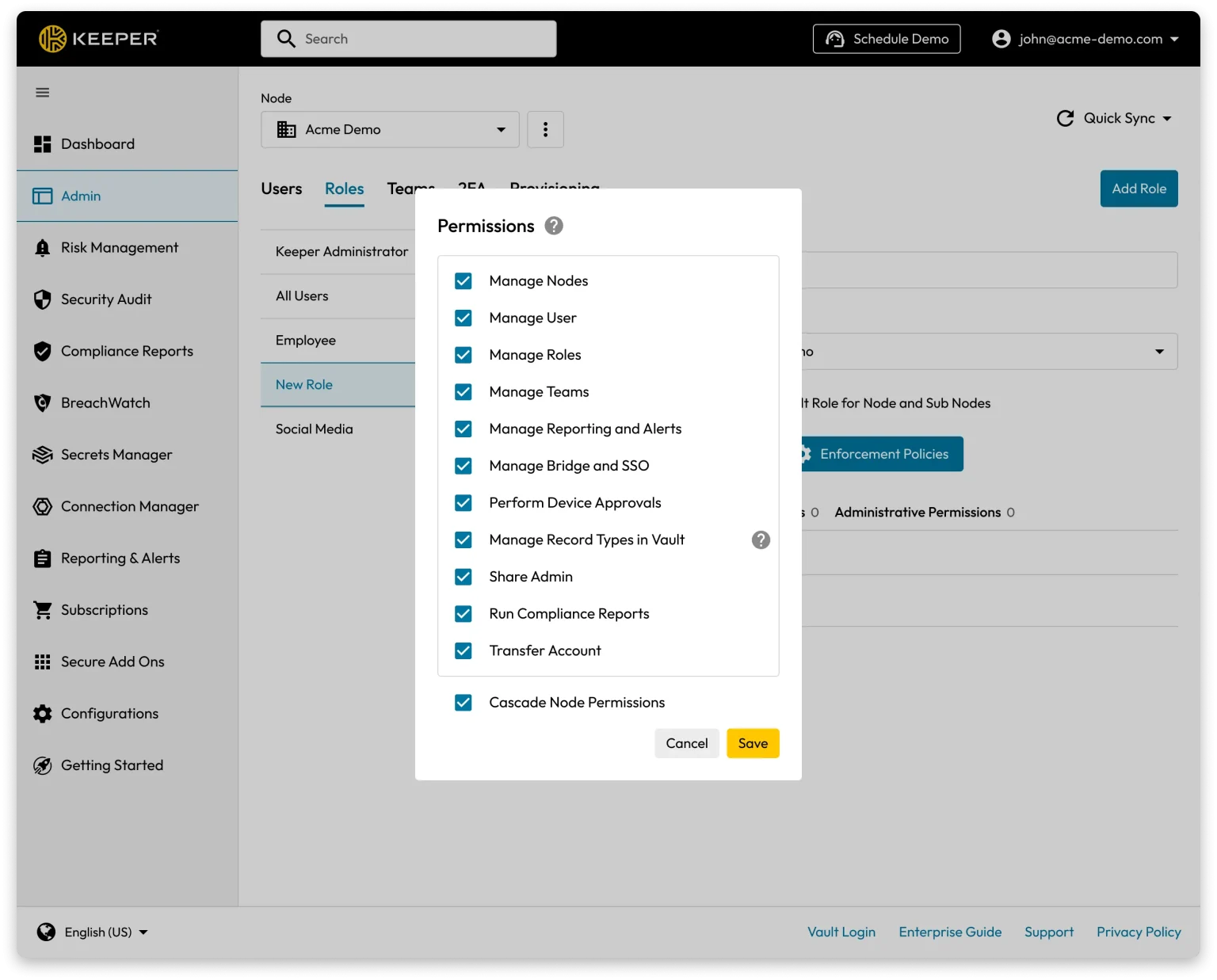
Setup begins with a 30-day free trial — no credit card required for personal users. After creating your account and master password, you can import existing credentials directly from Chrome, Firefox, LastPass, 1Password, or any CSV-compatible source using the built-in import tool. The KeeperFill browser extension installs in seconds and begins auto-filling credentials immediately. On Android and iOS, biometric login — fingerprint or Face ID — unlocks the vault without typing your master password on every session. For businesses, the admin console lets IT teams push vault policies, set 2FA requirements, and onboard employees in bulk before anyone touches a device.
UX & DESIGN
Keeper’s interface is clean, consistent, and more polished than Bitwarden — though it doesn’t quite reach the tactile refinement of 1Password on mobile. The desktop app on Windows 11 is well-organized, with vault records displayed in a folder tree that makes large credential collections manageable. The onboarding flow for personal users is guided and accessible; the business admin console is powerful but has a steeper learning curve that’s more suited to IT professionals than first-time admins. KeeperFill performs reliably across Chrome and Edge, and the offline mode works without friction when your connection drops.
PERFORMANCE & RELIABILITY
Keeper is fast and stable across all four platforms. Auto-fill triggers reliably, vault sync is near-instant when online, and the mobile app runs with negligible battery impact on both Android and iOS. The offline vault access is dependable — Keeper caches your encrypted vault locally so you’re never locked out without an internet connection. Keeper maintains SOC 2 Type 2, ISO 27001, FedRAMP, and StateRAMP certifications, and publishes annual third-party security audit results — a meaningful benchmark for enterprise buyers in India evaluating compliance requirements.
PRIVACY & PERMISSIONS
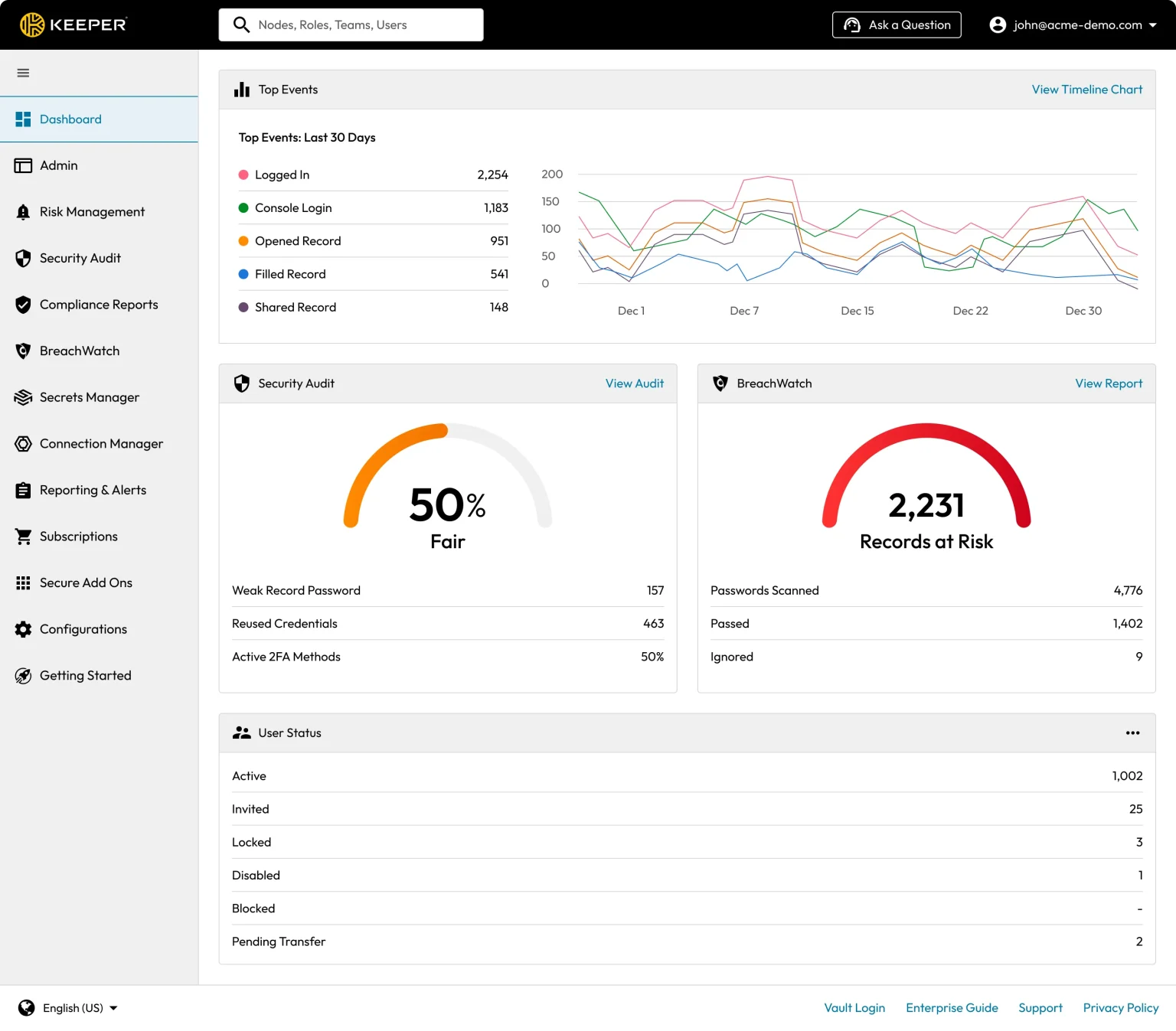
Keeper’s zero-knowledge architecture uses per-record AES-256 keys generated and stored exclusively on your device, layered over device-level key pairs and a transmission key on top of TLS. This means Keeper employees cannot decrypt your vault even under a court order — the architecture physically prevents it. BreachWatch, the dark web monitoring add-on, extends this model to breach scanning: it computes a double-layered HMAC_SHA512 hash of your passwords using hardware security modules with non-exportable keys, so the comparison against breach databases never exposes which passwords you’re checking. Mobile permissions are limited to biometrics and clipboard — both standard and explained clearly in the app.
PRICING & VALUE
Keeper’s personal plan starts at $35.40 per year — more expensive than Bitwarden Premium ($19.80/year) but comparable to 1Password Individual ($35.88/year). The critical difference is that Keeper’s most valuable features, BreachWatch and Secure File Storage, are paid add-ons not included in the base plan. For Indian users, this means the all-in cost rises meaningfully once you add the features that competitors bundle. Where Keeper justifies its price clearly is in the business tier: the Business plan at $3.75 per user per month includes an admin console, role-based access control, compliance reporting, and a free Family Plan for every employee — a genuine differentiator for Indian startups and mid-sized companies building out an IT security policy.
HOW IT COMPARES
vs. 1Password: Keeper wins on enterprise policy enforcement, compliance certifications (FedRAMP, StateRAMP), and BreachWatch’s patented zero-knowledge monitoring architecture; 1Password wins on interface polish, Travel Mode for international trips, and the Secret Key dual-layer authentication model.
vs. Bitwarden: Keeper wins on enterprise admin controls, customer support responsiveness, and the depth of BreachWatch’s dark web monitoring; Bitwarden wins on price — its free tier is fully functional and its self-hosting option gives technically capable teams data sovereignty that Keeper cannot match without an enterprise contract.