WHAT IS APACHE OPENOFFICE?
Apache OpenOffice is a free, open-source office productivity suite that lets you create and edit documents, spreadsheets, presentations, databases, drawings, and mathematical formulas — all without paying a single rupee. It’s designed for users who need a capable desktop office suite and have no interest in subscriptions, cloud accounts, or internet dependency. It is not suited for teams that regularly exchange files with Microsoft Office users, or for anyone who needs active security patches and new features delivered on a regular cadence.
HOW IT WORKS
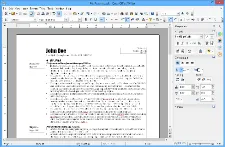
After you download the ~150 MB installer from openoffice.org and complete the setup, OpenOffice places a full suite of apps on your desktop — no account creation, no activation key, no sign-in prompt. Open Writer and you’re greeted with a familiar word-processing interface; your first document is ready in seconds. If someone sends you a .docx file, you can drag it in and OpenOffice will open it, though some complex formatting may shift. When you’re done, you save in ODF format or export directly to PDF with a single menu click — both work flawlessly out of the box.
UX & DESIGN
The interface hasn’t changed meaningfully in over a decade, and that’s not entirely a bad thing for users coming from older versions of Microsoft Office. The toolbar-based layout feels instantly familiar if you remember Office 2003–2007, but it can feel dated compared to LibreOffice’s more modern Notebookbar option or Microsoft 365’s ribbon polish. There’s no guided onboarding — you’re expected to figure things out — but the menus are logically organized and most functions are where you’d intuit them. Accessibility features exist but are limited, and there’s no dedicated high-contrast or dark mode.
PERFORMANCE & RELIABILITY
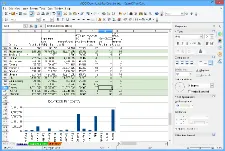
On older hardware — a Windows 7 or Windows 8 machine with 512 MB RAM — OpenOffice actually performs well, which is a genuine advantage over heavier modern suites. On current Windows 10 and Windows 11 systems it opens quickly, though large spreadsheets in Calc can feel sluggish compared to Excel. Crash rates are low for routine work. Since everything runs locally, there’s no sync lag, no connection dropouts, and no server-side outages to worry about — what you see is what you get.
PRIVACY & PERMISSIONS
This is one of OpenOffice’s strongest areas. The suite collects no user data, requires no account, and sends no telemetry by default. Your documents stay entirely on your local machine. There’s no cloud upload, no behavioral tracking, and no ad targeting — the Apache License simply doesn’t permit that model. For users storing sensitive personal, financial, or legal documents, this offline-first architecture offers meaningful peace of mind. The one caveat: OpenOffice has a history of slow security patch cycles, so running it on a network-connected machine with outdated OS support may introduce risk over time.
PRICING & VALUE
Apache OpenOffice costs nothing — zero, permanently, for personal and commercial use. For a small business in India that needs a free office suite without a subscription, that’s genuinely hard to beat. Microsoft 365 Personal costs approximately ₹4,899 per year in India, which makes OpenOffice’s ₹0 price tag feel significant. The honest catch is that the free tier is the only tier — there’s no premium version with extra features, but there are also no conversion popups or feature-gating tricks. Compared to LibreOffice, which is also free, OpenOffice delivers less in terms of active development but identical cost.
HOW IT COMPARES
vs. LibreOffice: OpenOffice wins on name recognition among legacy open-source users, but LibreOffice wins convincingly on active development, security updates, OOXML export support (.docx/.xlsx saving), and Windows 64-bit native builds — LibreOffice had 21 minor updates in 2024–2025 versus OpenOffice’s one.
vs. Microsoft Office: OpenOffice wins on cost and privacy — it’s perpetually free with no telemetry. Microsoft Office wins on compatibility, collaboration features, cloud integration, and the breadth of modern formatting capabilities most professional workflows expect.