WHAT IS LIBREOFFICE?
LibreOffice is a free, open-source desktop office suite developed and maintained by The Document Foundation, a community-driven non-profit. It covers every core productivity task — word processing, spreadsheets, presentations, vector drawing, databases, and mathematical formulas — across Windows, macOS, and Linux without a single rupee in licensing costs. It is not suited for users who rely heavily on real-time co-authoring inside a shared cloud workspace, or who need deep integration with Microsoft 365’s ecosystem of Teams, SharePoint, and OneDrive.
HOW IT WORKS
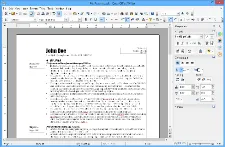
Download the installer from libreoffice.org — choose between the latest stable release (25.8) or the Long-Term Support build (24.8) if you prefer fewer updates — and the setup takes under five minutes with no account creation required. Open Writer and you can start a new document or drop in a .docx file immediately; the app recognises Microsoft formats automatically. You edit as normal, and when you’re ready to share with a Microsoft Office user, you save as .docx from the File menu, which works cleanly for most standard documents. For PDF export, the built-in PDF 2.0 exporter — introduced in version 25.8 — handles the job in two clicks with no third-party tools needed.
UX & DESIGN
LibreOffice gives you more interface flexibility than any competing free suite: you can run it with a classic 2003-style toolbar, a modern Notebookbar ribbon, or a clean single-toolbar mode depending on what feels natural to you. The dark mode is accessible via Tools → Options → LibreOffice → Application Colors on Windows 11, and the 25.8 release added a new What’s New dialog that surfaces interface options on first launch, reducing the onboarding friction that earlier versions were known for. That said, visual consistency across the six apps is uneven — Draw and Base look notably different from Writer and Calc — and the settings menu is deep enough that new users will spend time hunting for options. Accessibility is genuinely strong: screen reader support via AT-SPI2 on Linux and MSAA on Windows is maintained and actively tested.
PERFORMANCE & RELIABILITY
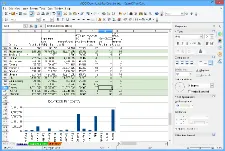
On a current Windows 11 machine with 8 GB RAM, LibreOffice opens Writer in roughly two to three seconds and handles large documents without notable lag. Calc performance on datasets with tens of thousands of rows is competitive with Excel for most common operations, though pivot table rendering is slower. On older hardware — a machine with 512 MB RAM running a current Linux Mint LTS — LibreOffice remains usable for everyday document tasks, making it a credible best free office software option for older PCs in India. Crash rates across the 24.8 and 25.8 release cycles have been low, with the December 2025 point release (25.8.4) specifically targeting stability fixes. Since everything executes locally, there is no connectivity dependency, no server latency, and no risk of a cloud outage wiping your session.
PRIVACY & PERMISSIONS
LibreOffice is one of the strongest performers in this category among all office suites, free or paid. The software collects no personal data, no usage metrics, and no diagnostic telemetry — The Document Foundation explicitly states this in its privacy policy and builds it into the software architecture, not just a settings toggle. Files remain entirely on your local machine unless you explicitly connect a Nextcloud or WebDAV server. For users in India storing private data — financial records, legal documents, personal correspondence — this offline-first model offers concrete protection from the surveillance capitalism practices common in cloud-based productivity tools. The source code is publicly auditable on GitHub, meaning any organisation can verify these claims independently.
PRICING & VALUE
LibreOffice costs nothing, permanently, for personal, educational, government, and commercial use under the Mozilla Public License 2.0. Microsoft 365 Personal is priced at approximately ₹4,899 per year in India, which means LibreOffice saves that cost entirely every year. There are optional paid support subscriptions offered by certified partners (The Document Foundation lists them on their website), but the software itself carries no cost. Compared to Google Docs, which is also free for personal use but requires a Google account and an internet connection for full functionality, LibreOffice wins on privacy and offline capability — Google Docs wins on real-time collaboration and anywhere access.
HOW IT COMPARES
vs. Microsoft Office: LibreOffice wins on cost (free vs. ₹4,899/year) and privacy (no telemetry vs. Microsoft’s opt-out diagnostics); Microsoft Office wins on formatting fidelity with complex .docx files, real-time co-authoring, and the breadth of cloud-integrated features most enterprise workflows depend on.
vs. Google Docs: LibreOffice wins on offline capability and data privacy — your documents never touch a third-party server; Google Docs wins on real-time multi-user collaboration, cross-device access, and zero-install convenience for users already in the Google ecosystem.